
This article explains how to schedule sessions within a training plan using the Trackster platform
Introduction
Check out how to configure session details, add workout structures, and finalize your training schedule.
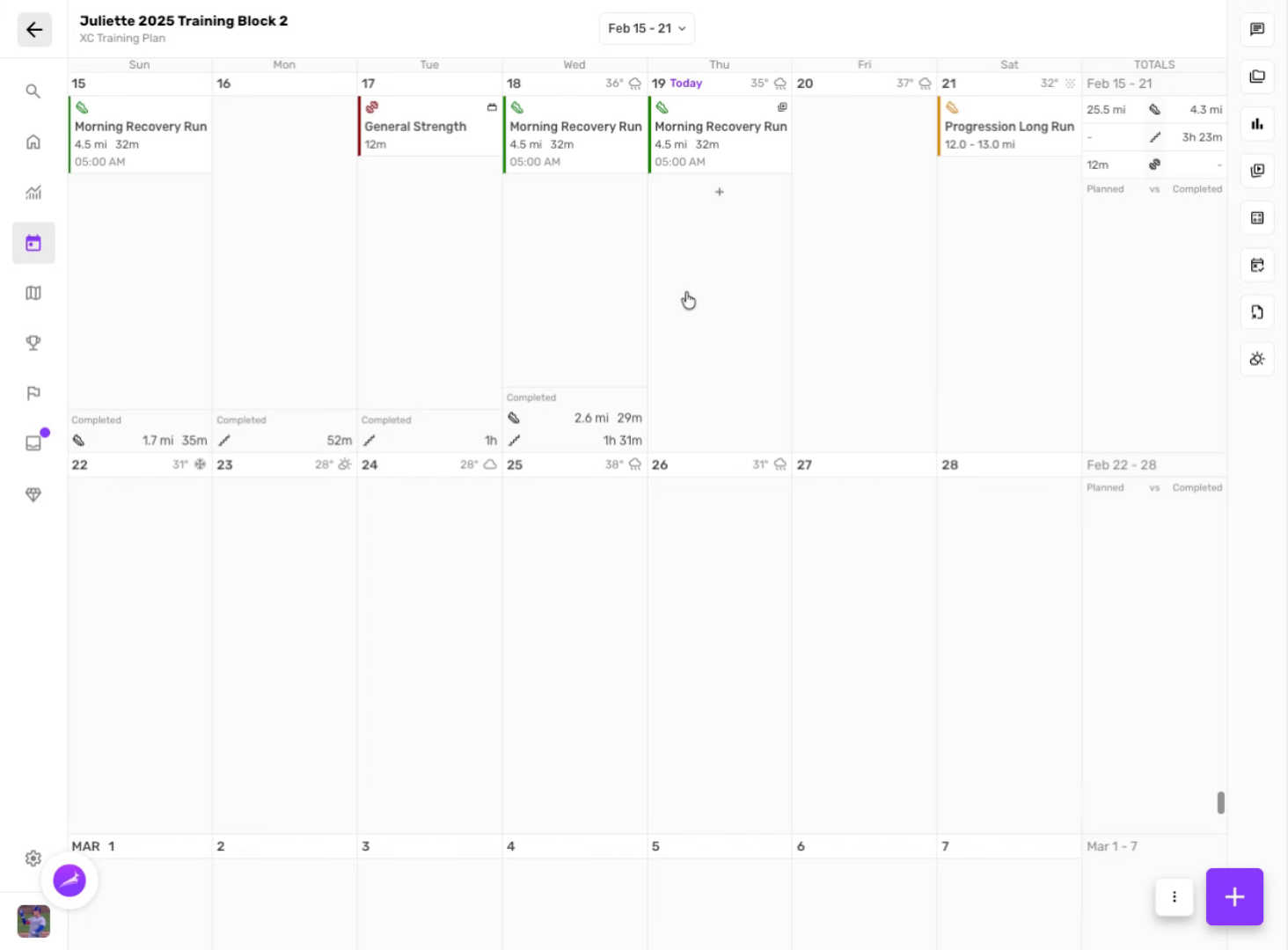
Navigate to training plans
Click the area to access training plans in Trackster.
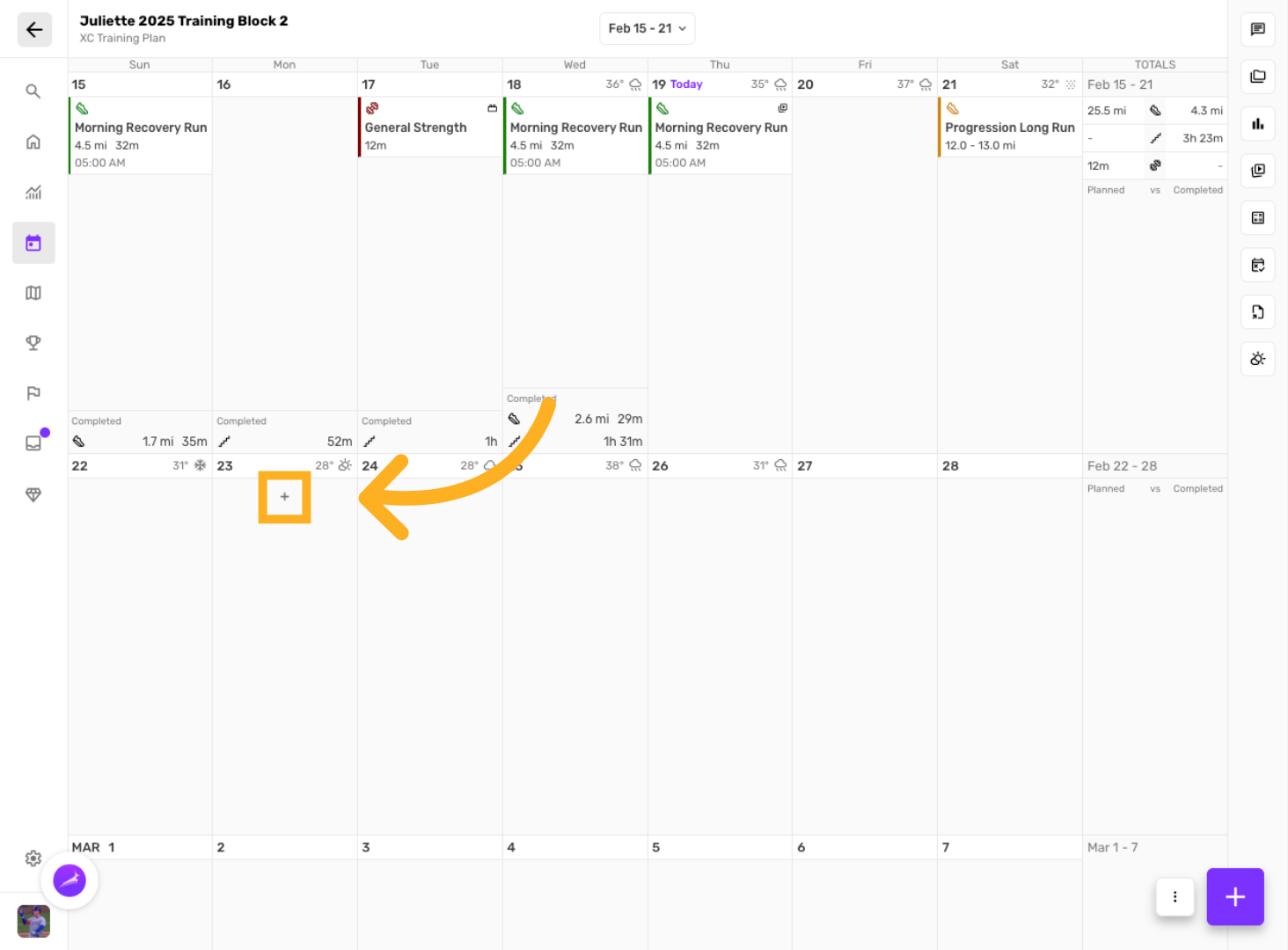
Select a day to begin creating session
Click the section to begin scheduling sessions within the plan.
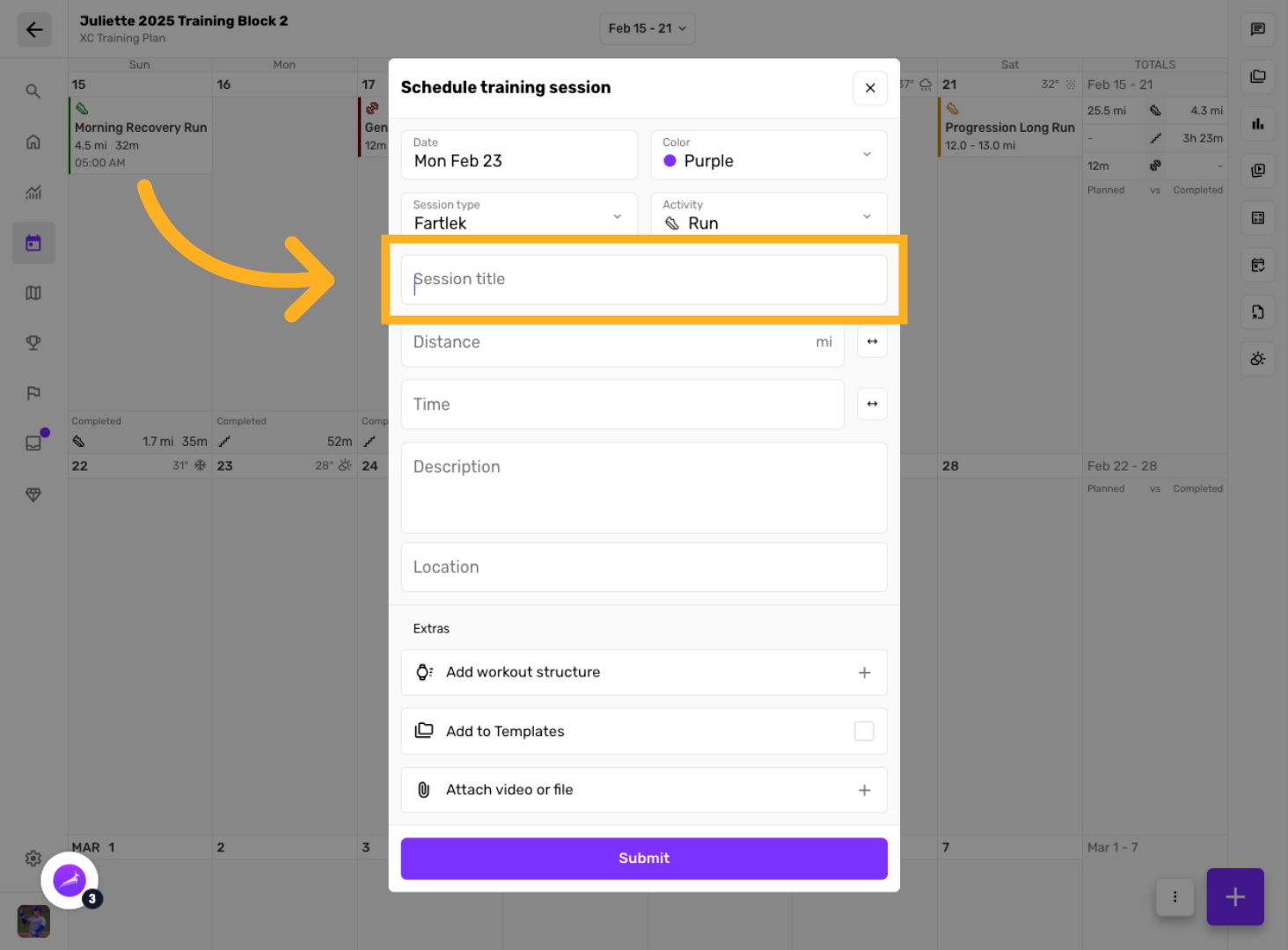
Enter session description
Click here to add a description for the session.
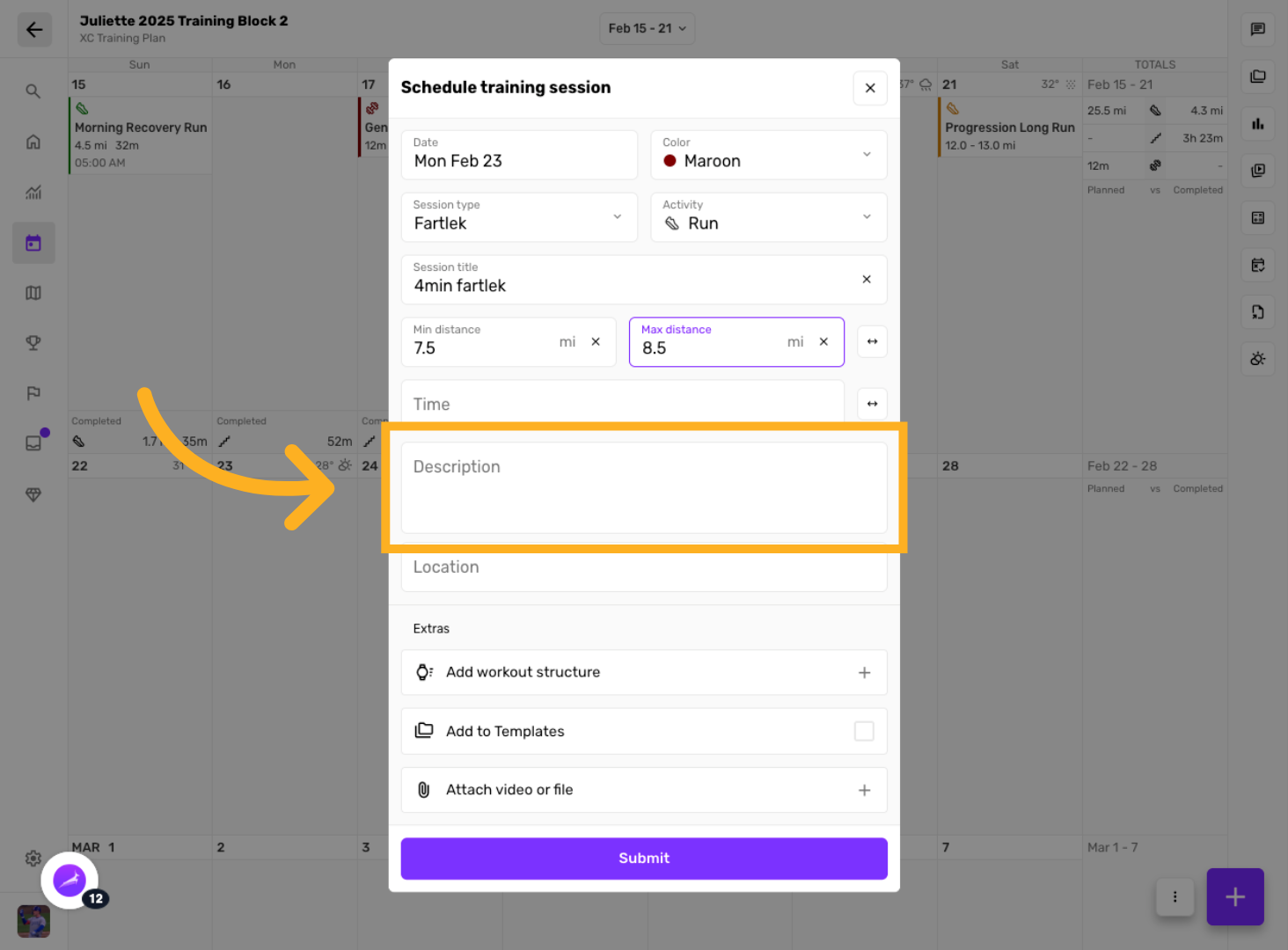
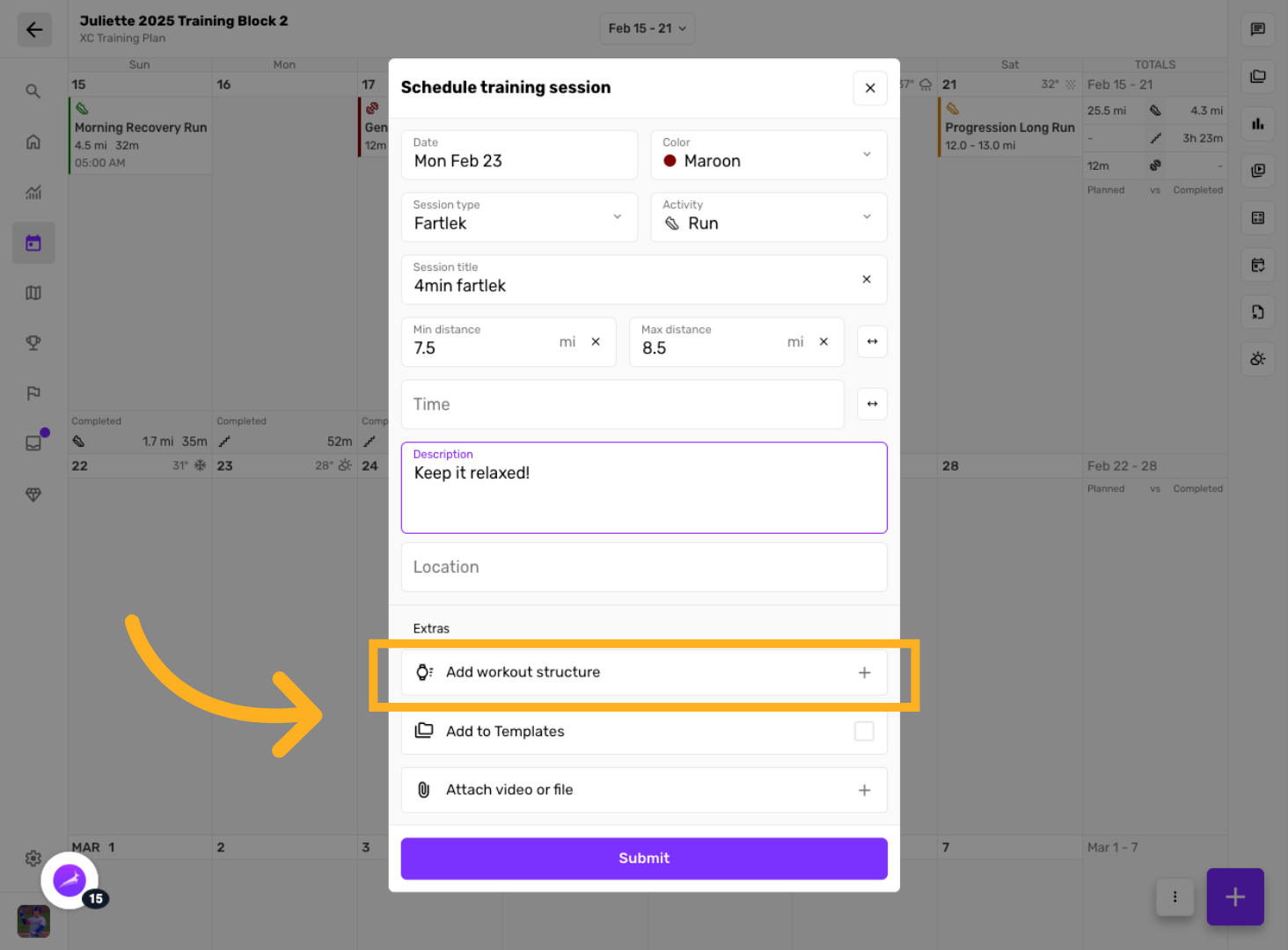
Add a Workout Structure & other options
Click the menu to add workout structure to the session.
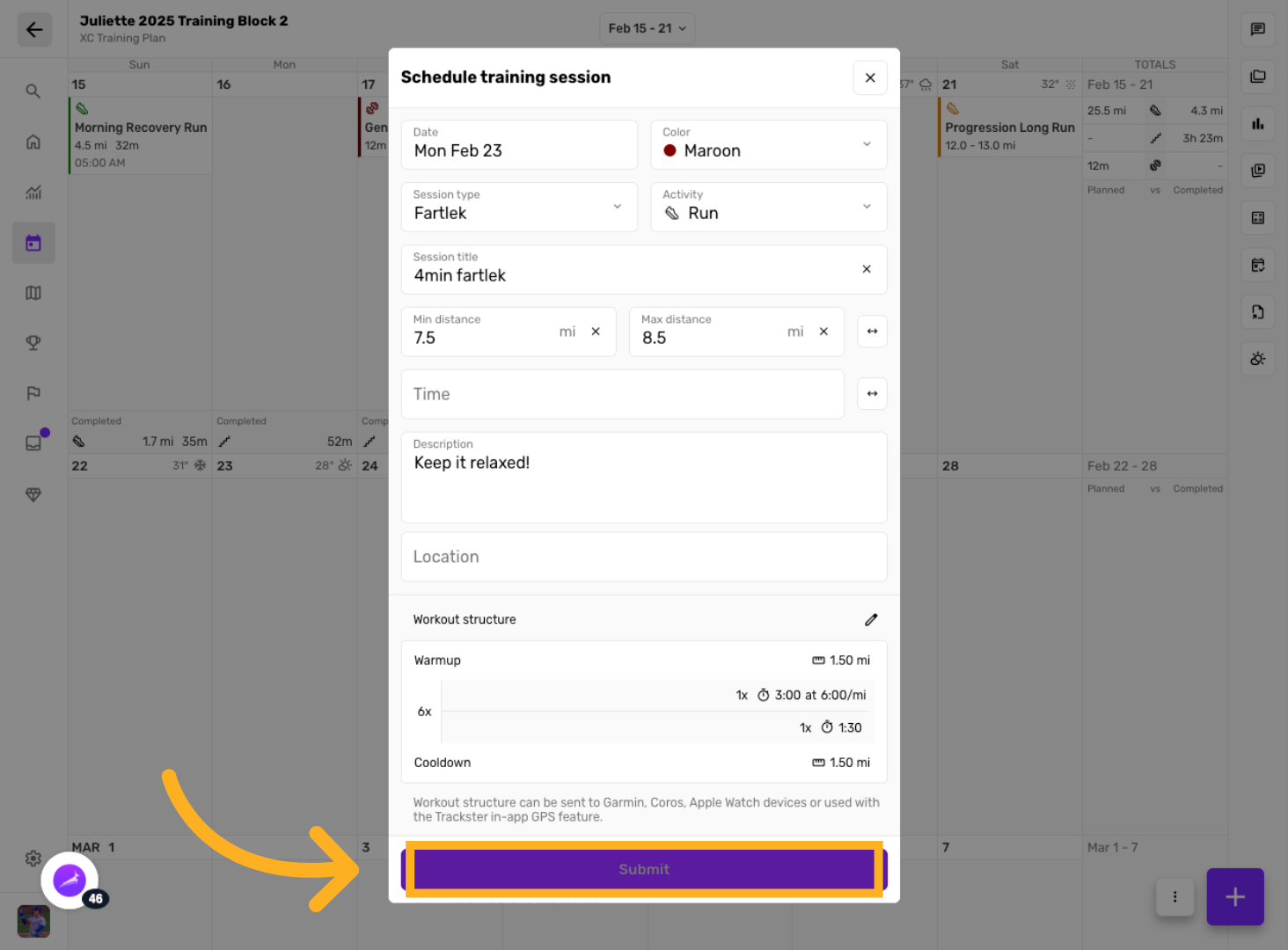
Submit Training Plan
Click "Submit" to save and add the scheduled sessions to the training plan.
You have successfully scheduled sessions within your training plan by configuring session details, adding workout structures, and finalizing the schedule. For more information, refer to related articles on training plan management and session customization.