
This article explains how to duplicate an existing training plan to create a new customized version.
Introduction
You will learn how to adjust key parameters to tailor the duplicated plan to your needs.
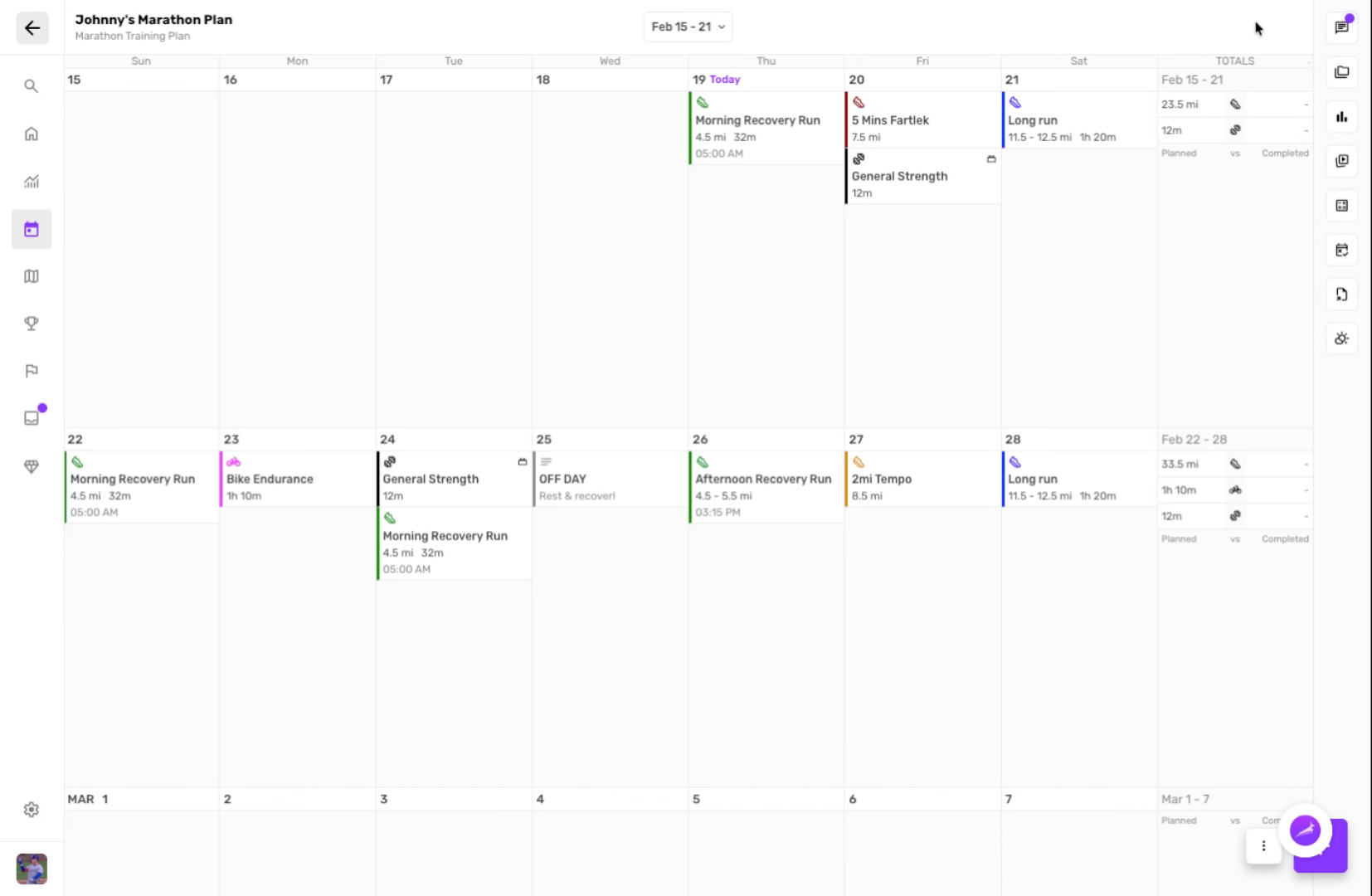
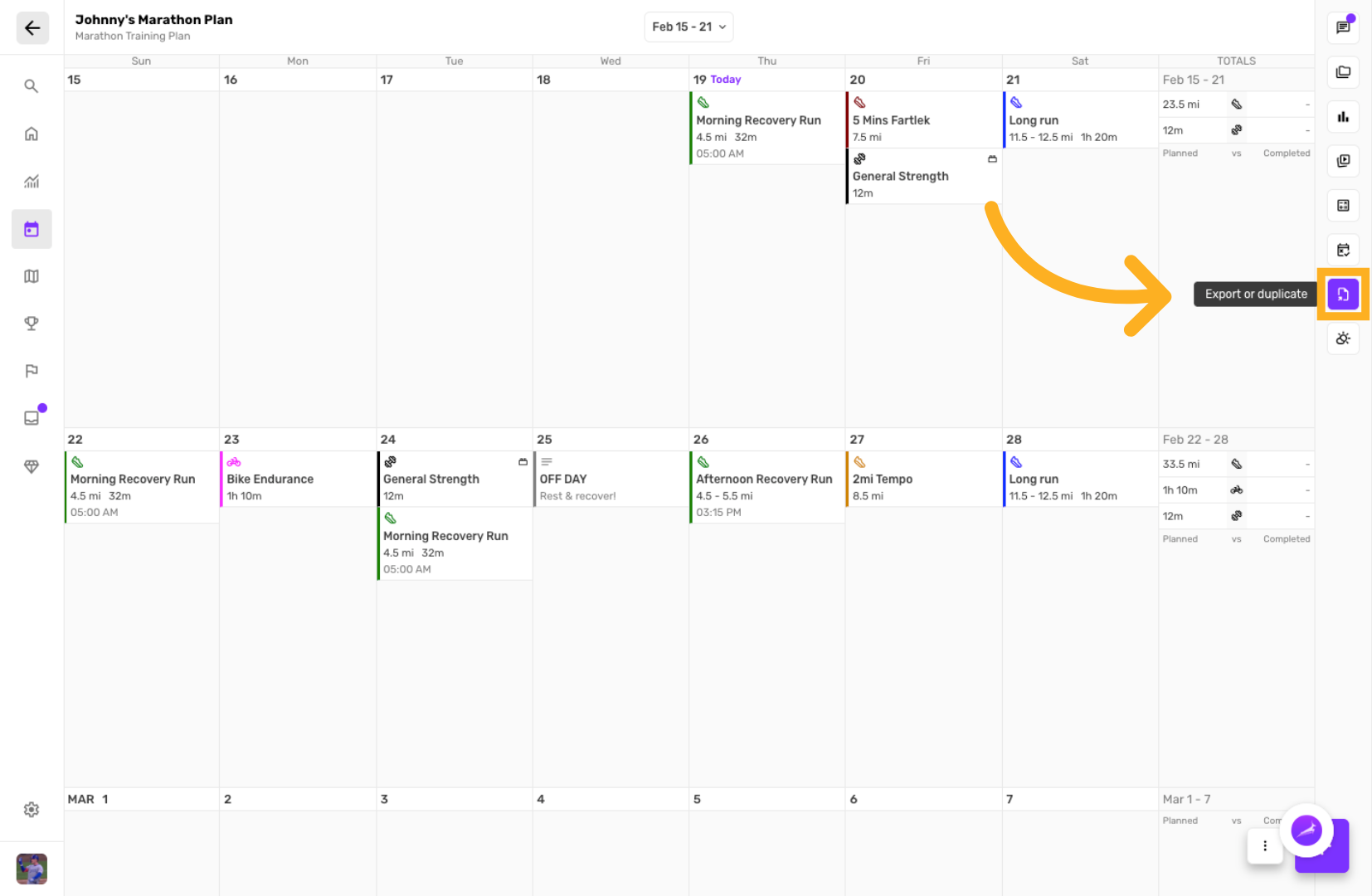
Open Training Plan Menu
Click the menu or options button within the training plan interface to access available actions.
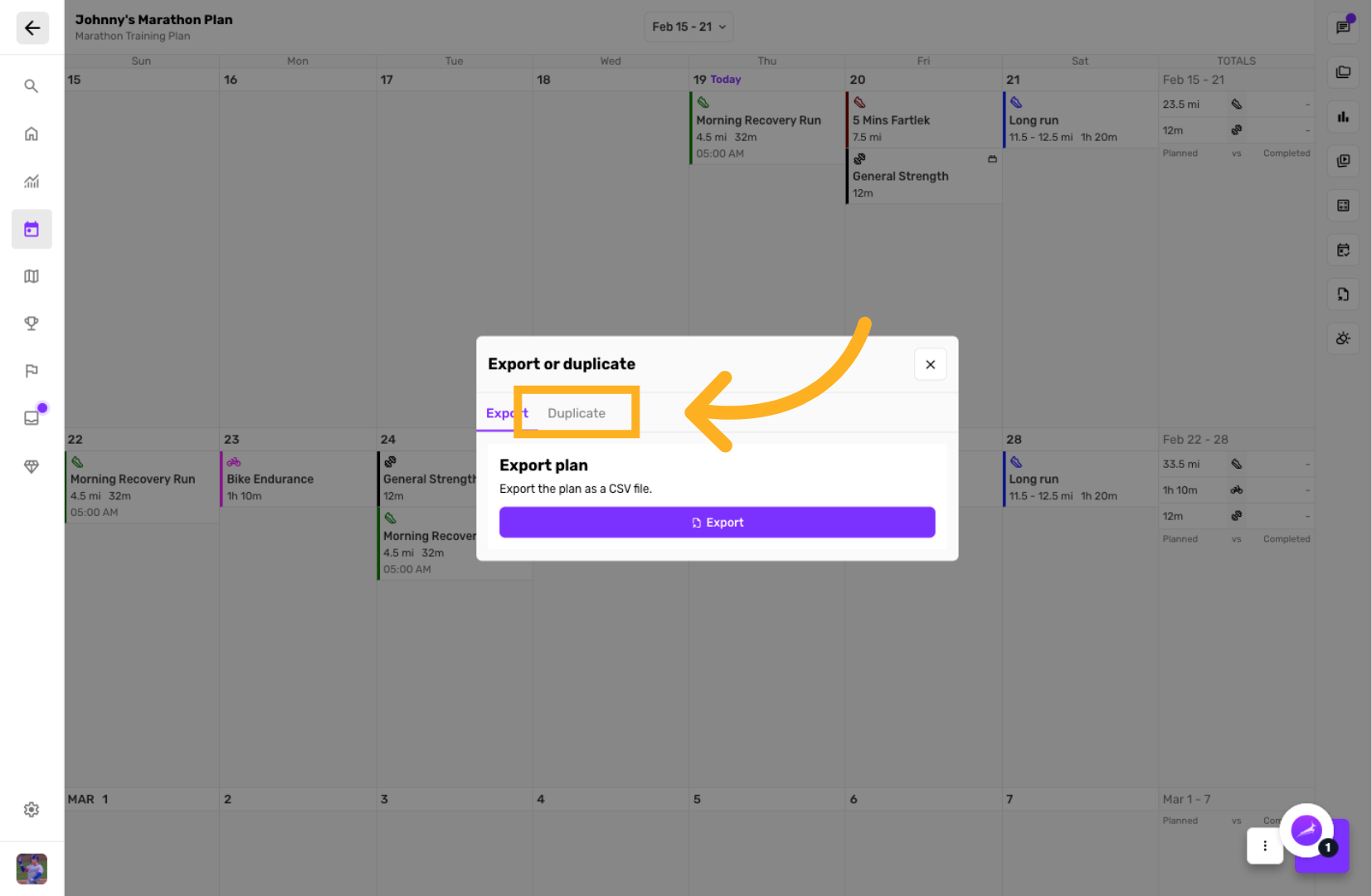
Select Duplicate Option
Click the Duplicate option to start creating a copy of the current training plan.
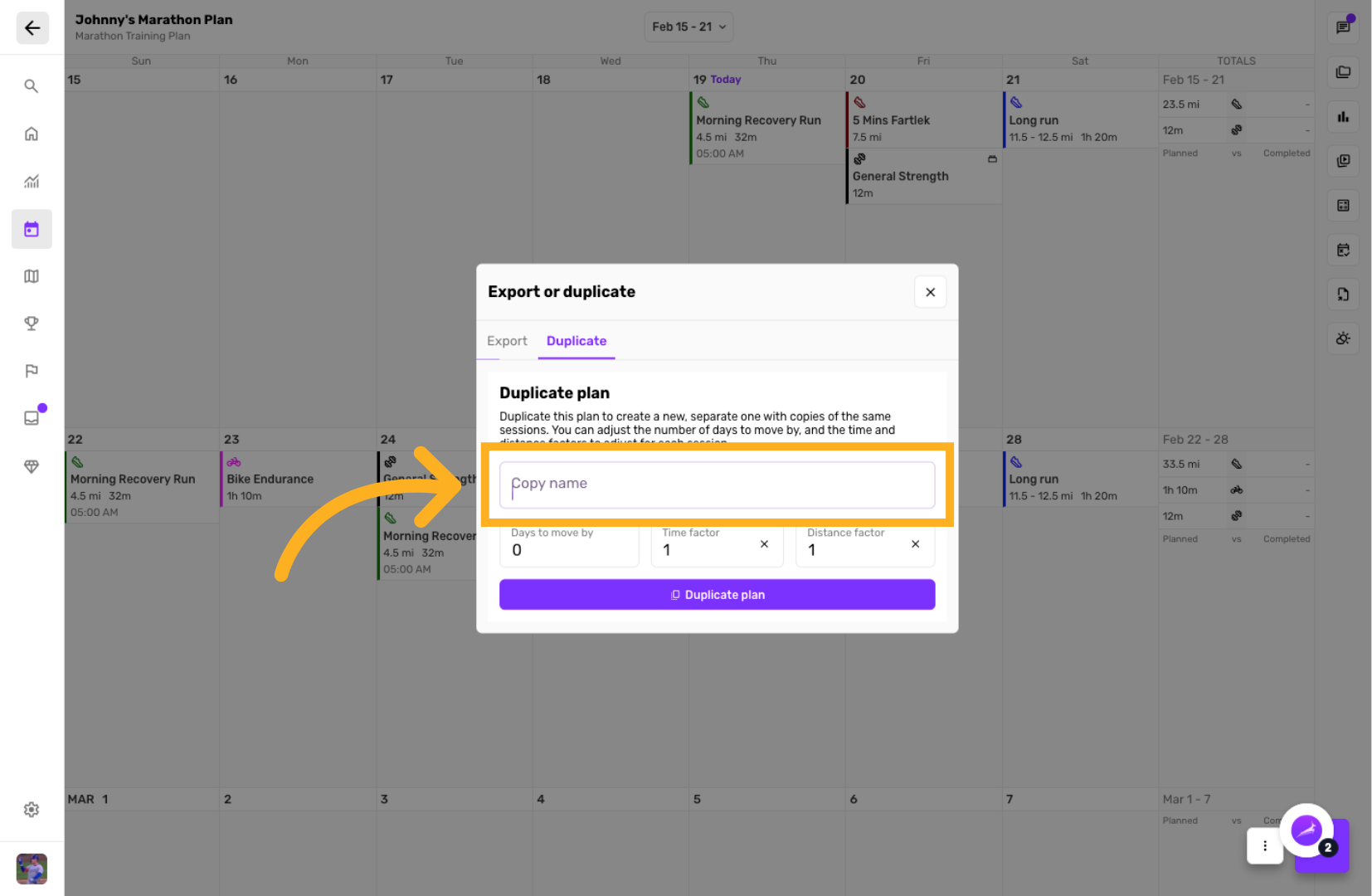
Enter New Duplicate Plan Name
Click the field where the training plan name is displayed to edit it.
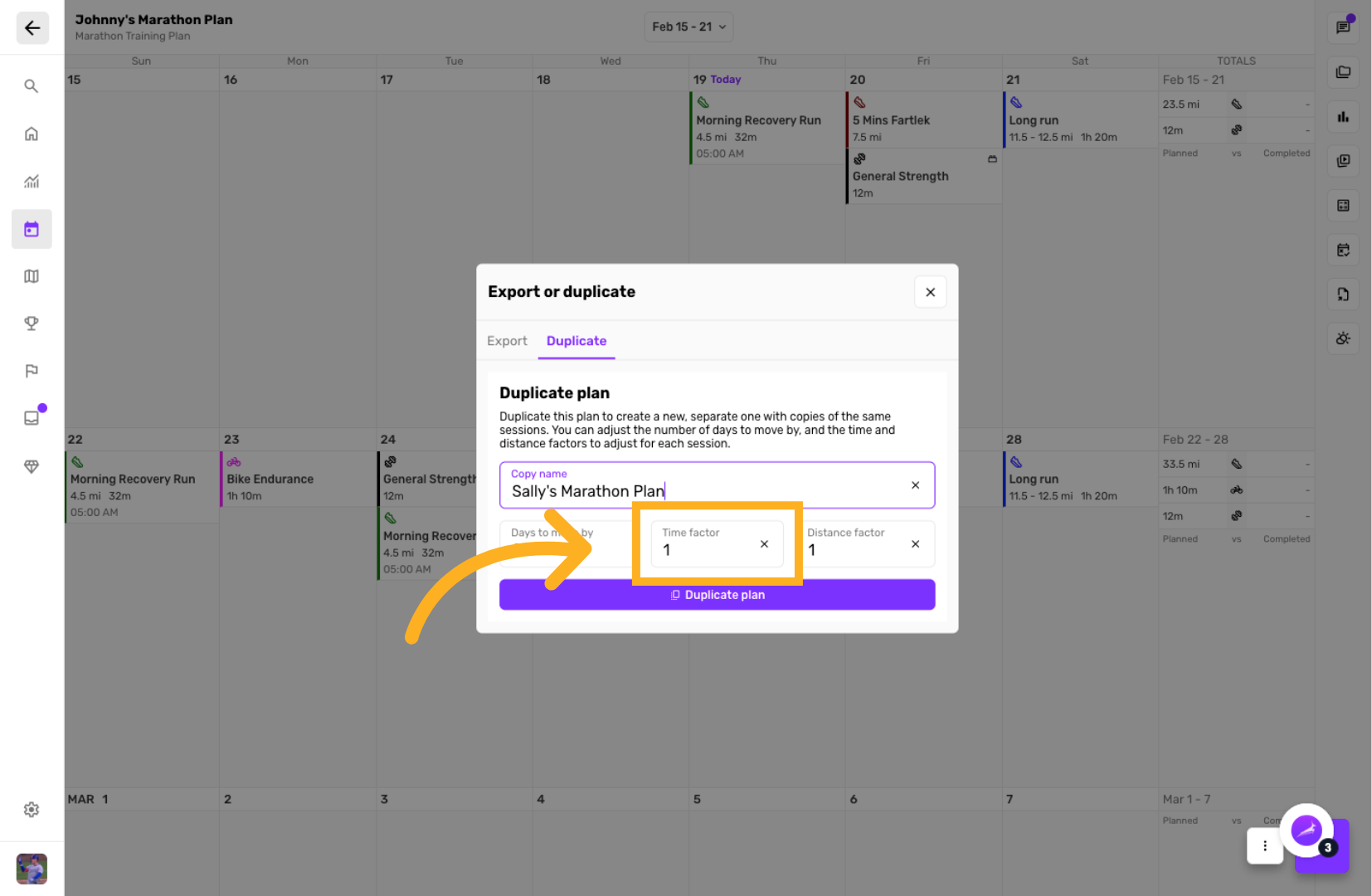
Set Distance / Time Factor
Adjust all training in the plan by a certain percentage, or just leave it 1
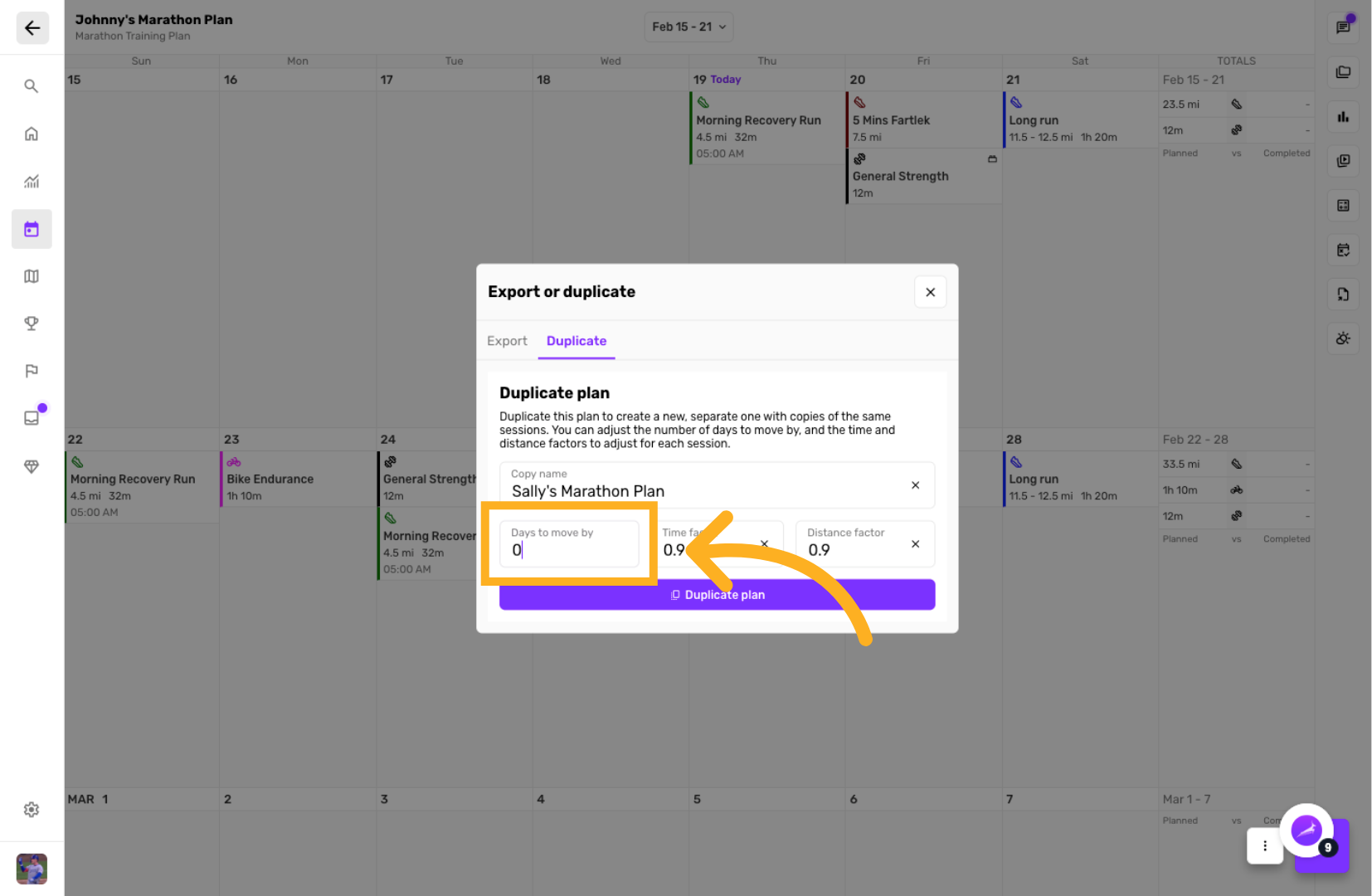
Set Days to Move to By
Click the field to specify how many days to move the duplicated plan sessions.
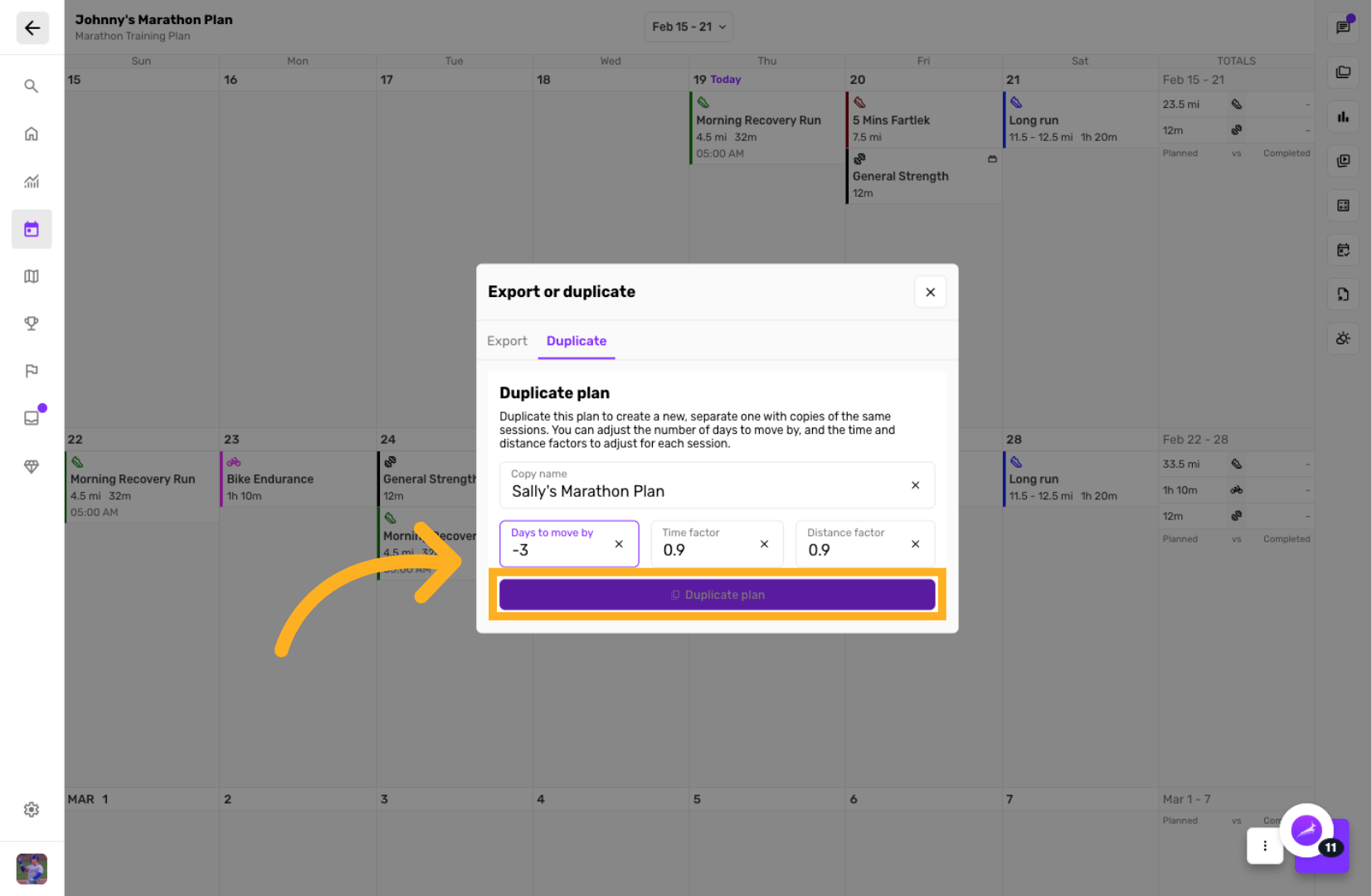
Confirm Plan Duplication
Click the Duplicate plan button to finalize creating the new training plan with the specified adjustments.
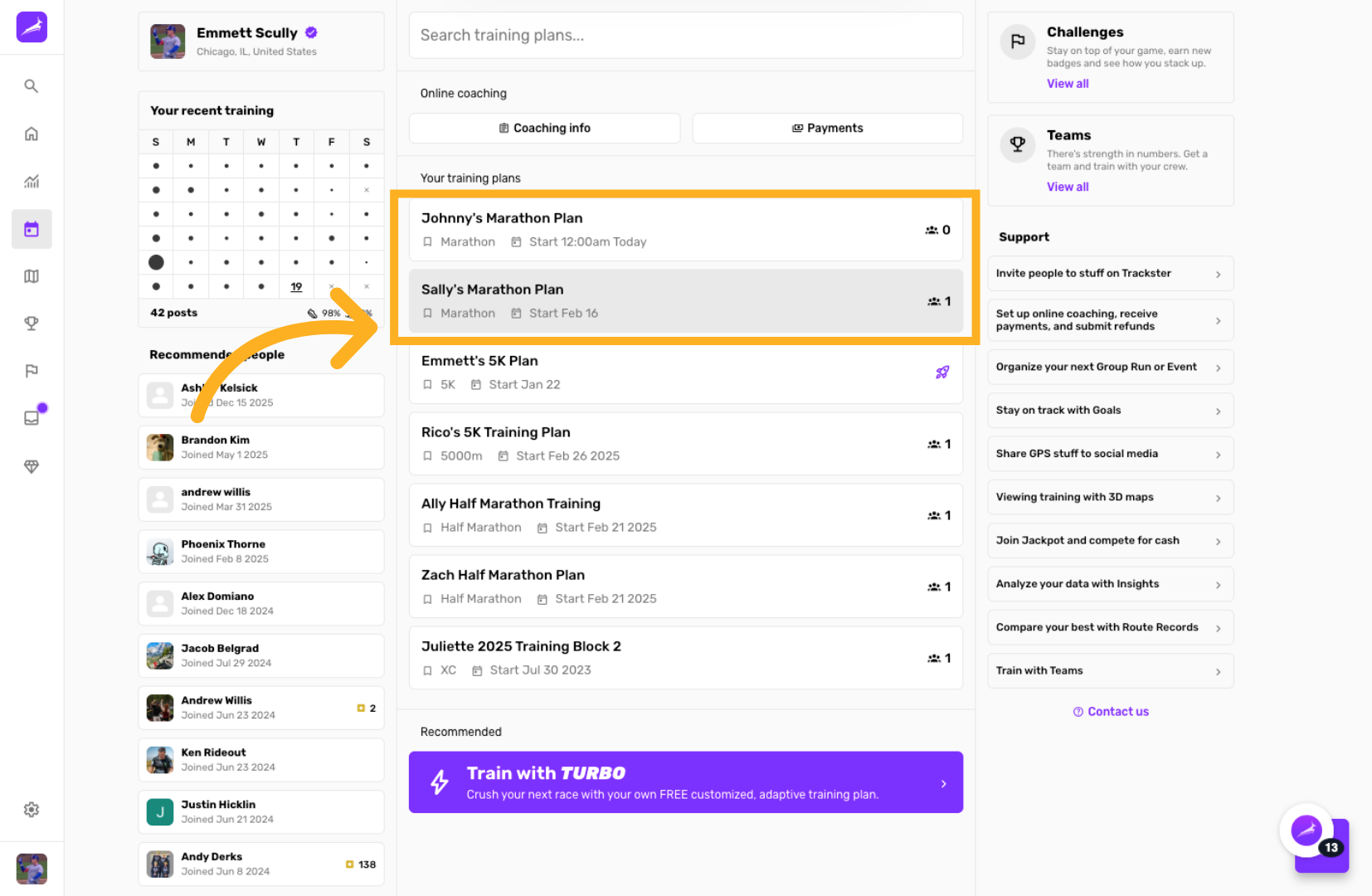
Open New Training Plan
Click the newly created training plan to begin reviewing or editing it.
You have successfully duplicated an existing training plan and customized its schedule by adjusting days, time, and distance factors. For more information, see related articles on managing training plans and session adjustments.