
This article explains how to customize your privacy settings in Trackster to control who can view your information.
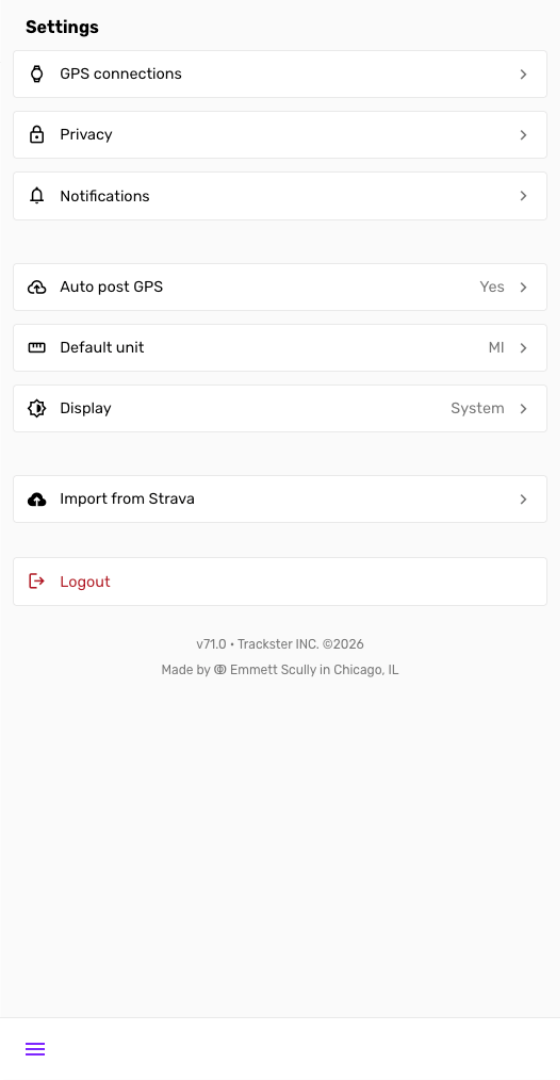
Go to Settings
Navigate to the platform Settings page
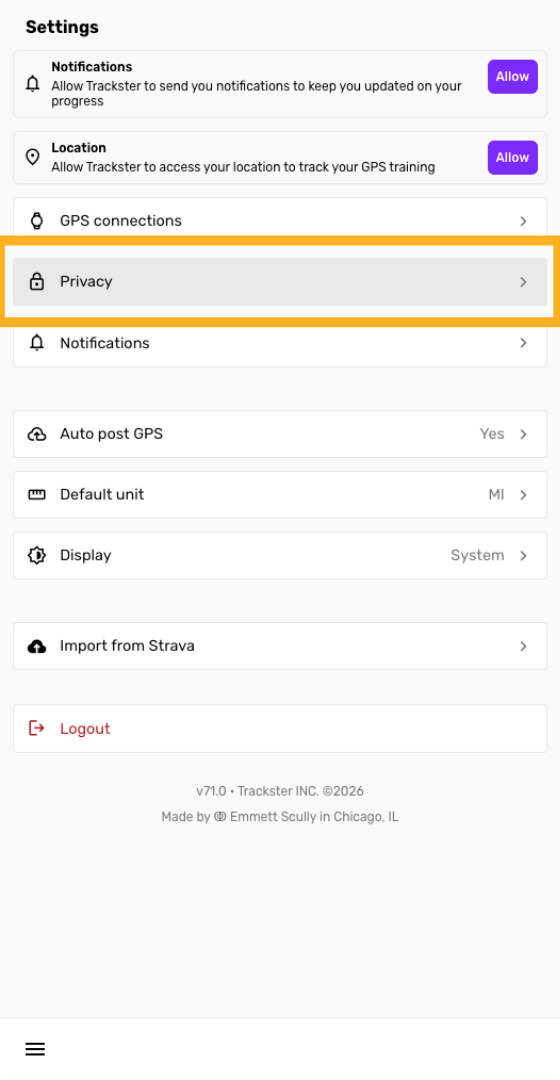
Select Privacy Option
Click the "Privacy" option to begin configuring your privacy preferences.
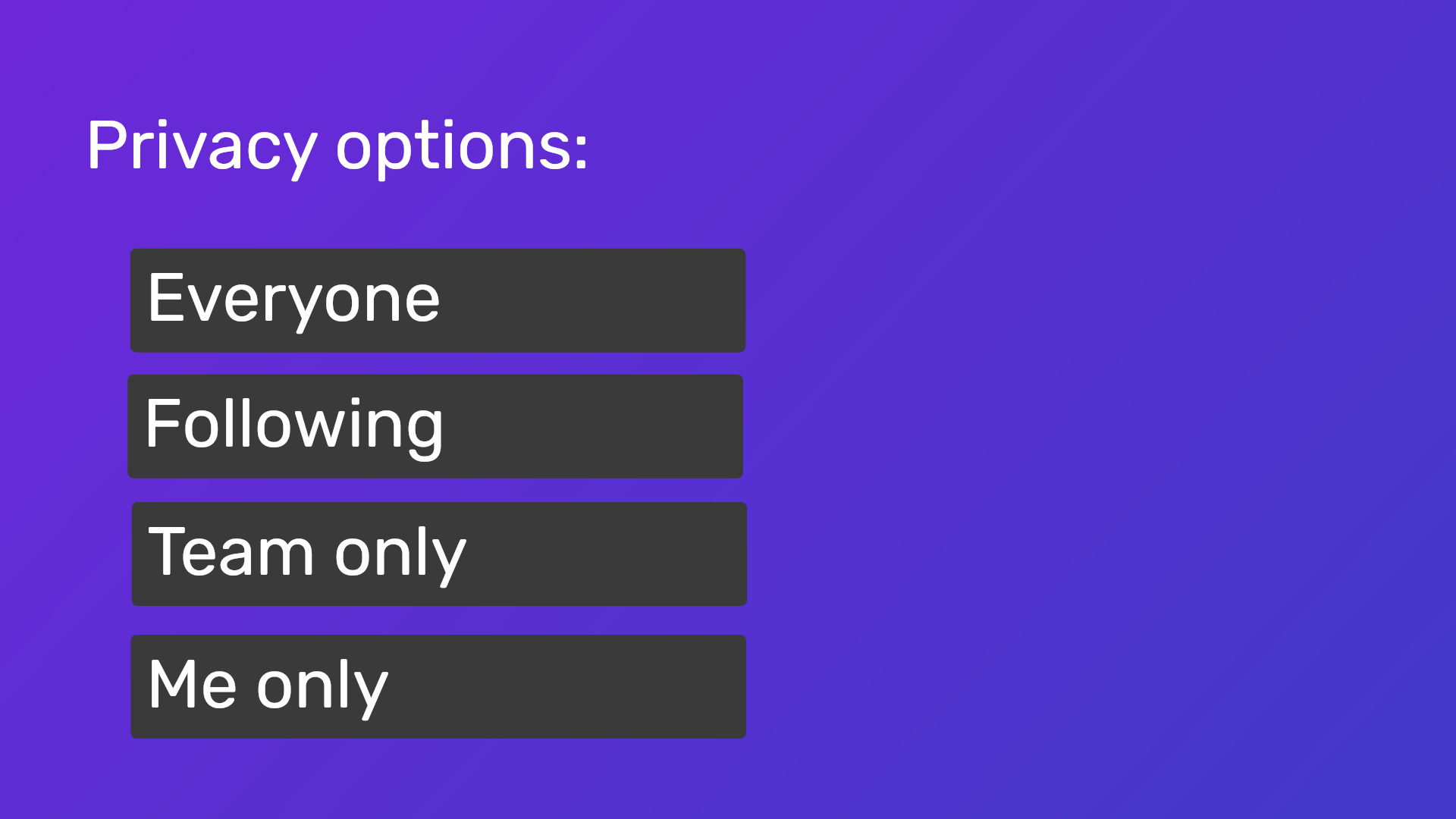
Privacy options
You can toggle all privacy options as "Everyone", "Following", "Team only" or "Me only"
The options should be self explanatory - "Everyone" is the most public option. For "Following", you must be following the user for them to be able to see your stuff.
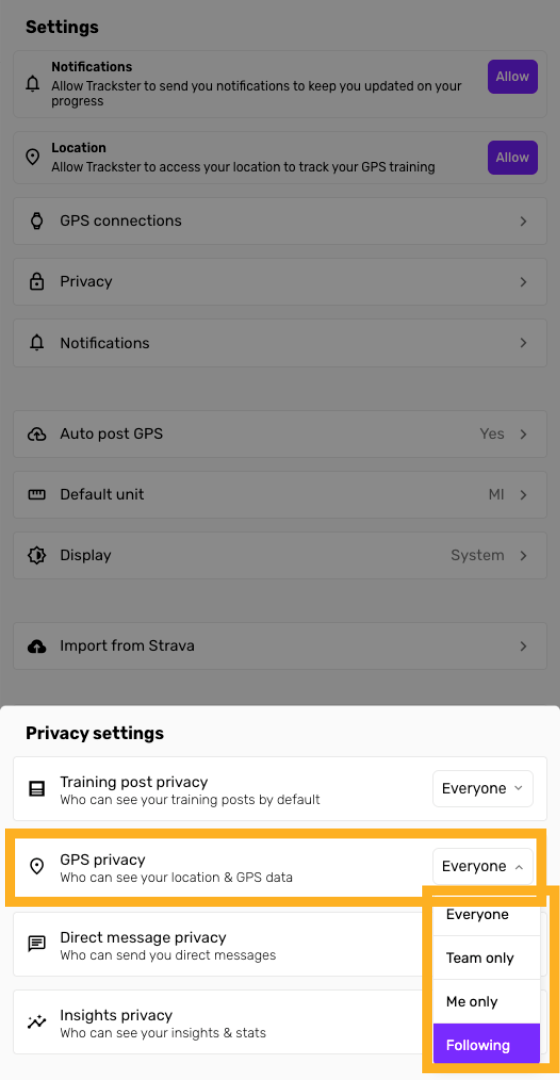
We recommend setting GPS data to "Following" to begin.
Confirm Training Post Privacy
Toggle your training post privacy - this determines who can see your training post on Trackster
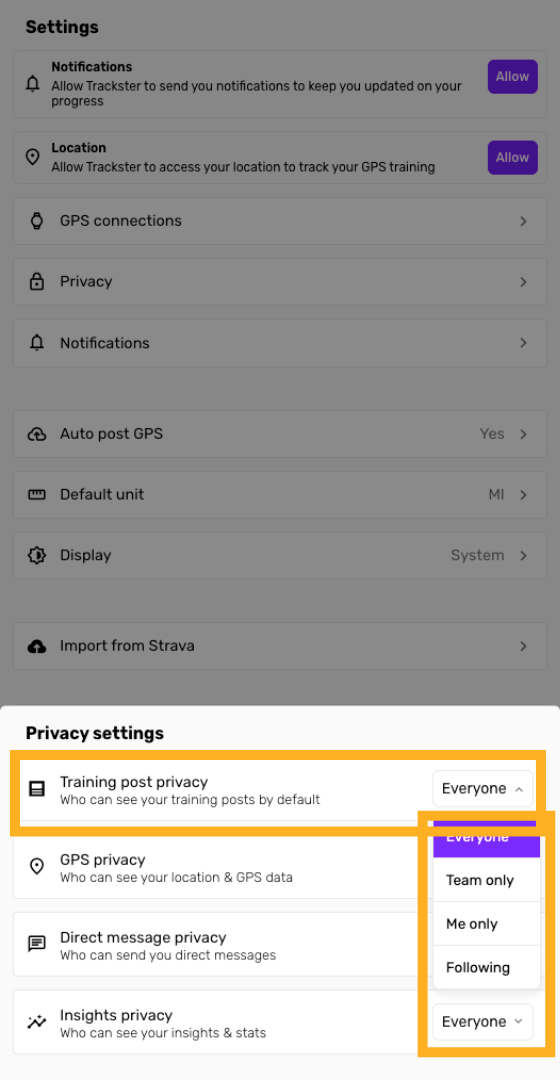
Confirm GPS privacy
Toggle your GPS privacy - this determines who can see your granular GPS & location data on Trackster
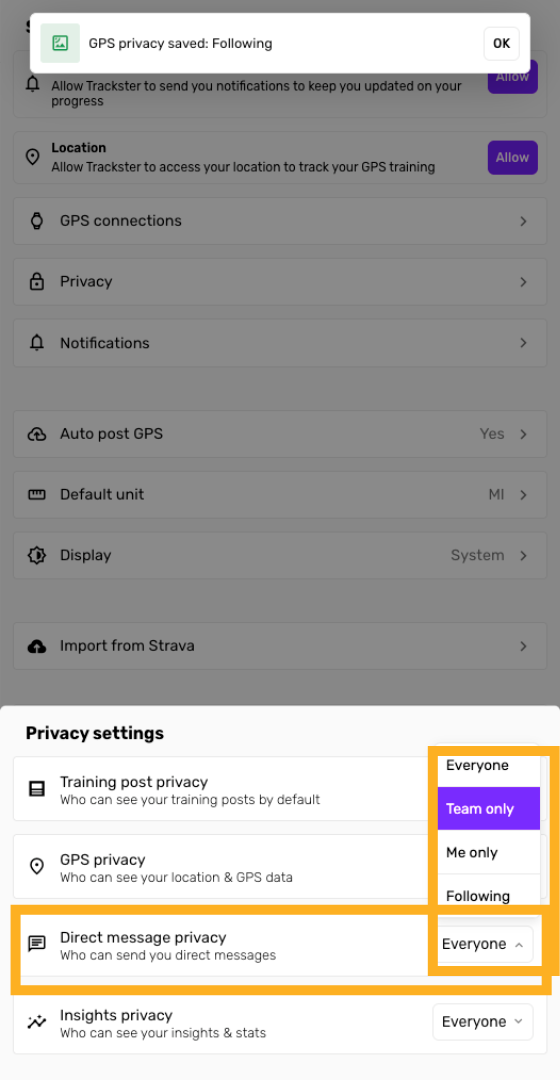
Confirm Direct Message privacy
Toggle your DM privacy - this determines who can send you messages on Trackster
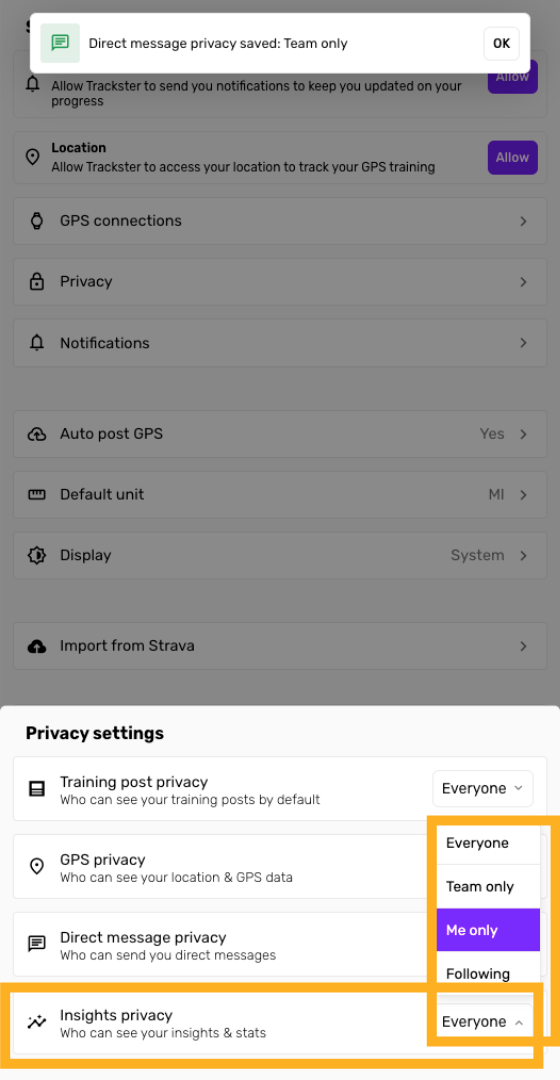
Confirm Insights privacy
Toggle your Insights privacy - this determines who can view your Insights page with detailed training stats
You have successfully customized your privacy settings in Trackster, controlling who can view your information.